Tripsy 3.8
This update brings a much better calendar experience, a brand new trip duplication flow, and a long list of improvements across itinerary and map.

Calendar Integration
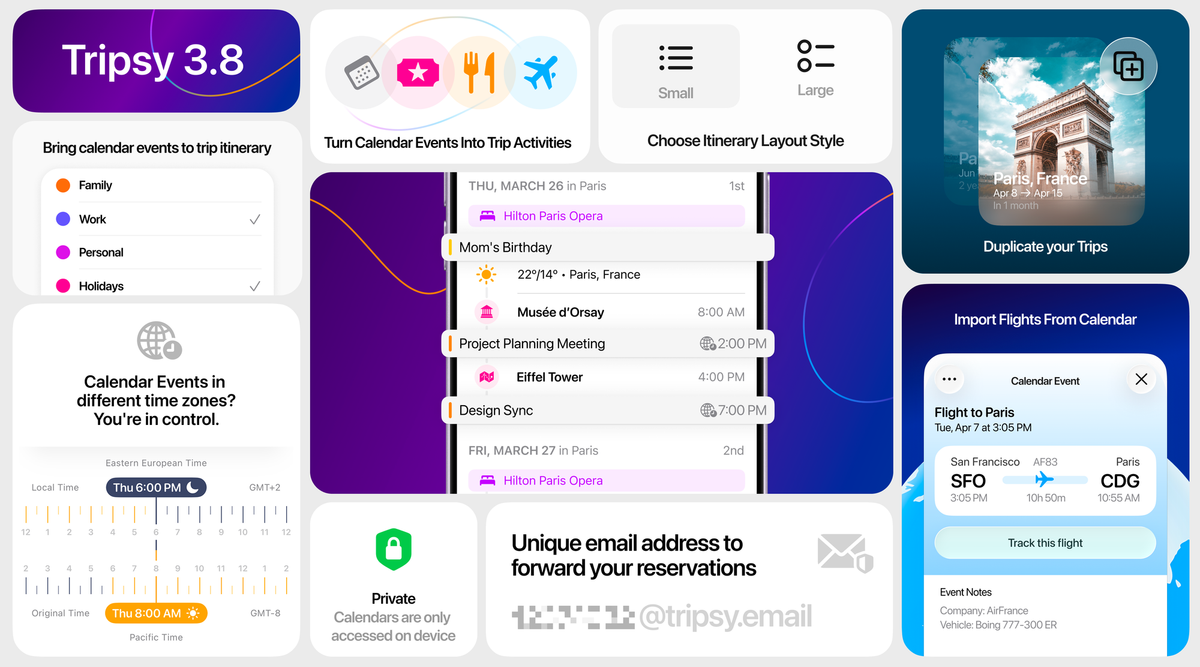
You can now bring your personal and business calendar events into Tripsy and show them directly inside your itinerary. You choose which calendars Tripsy can use, so you stay in control of what appears.
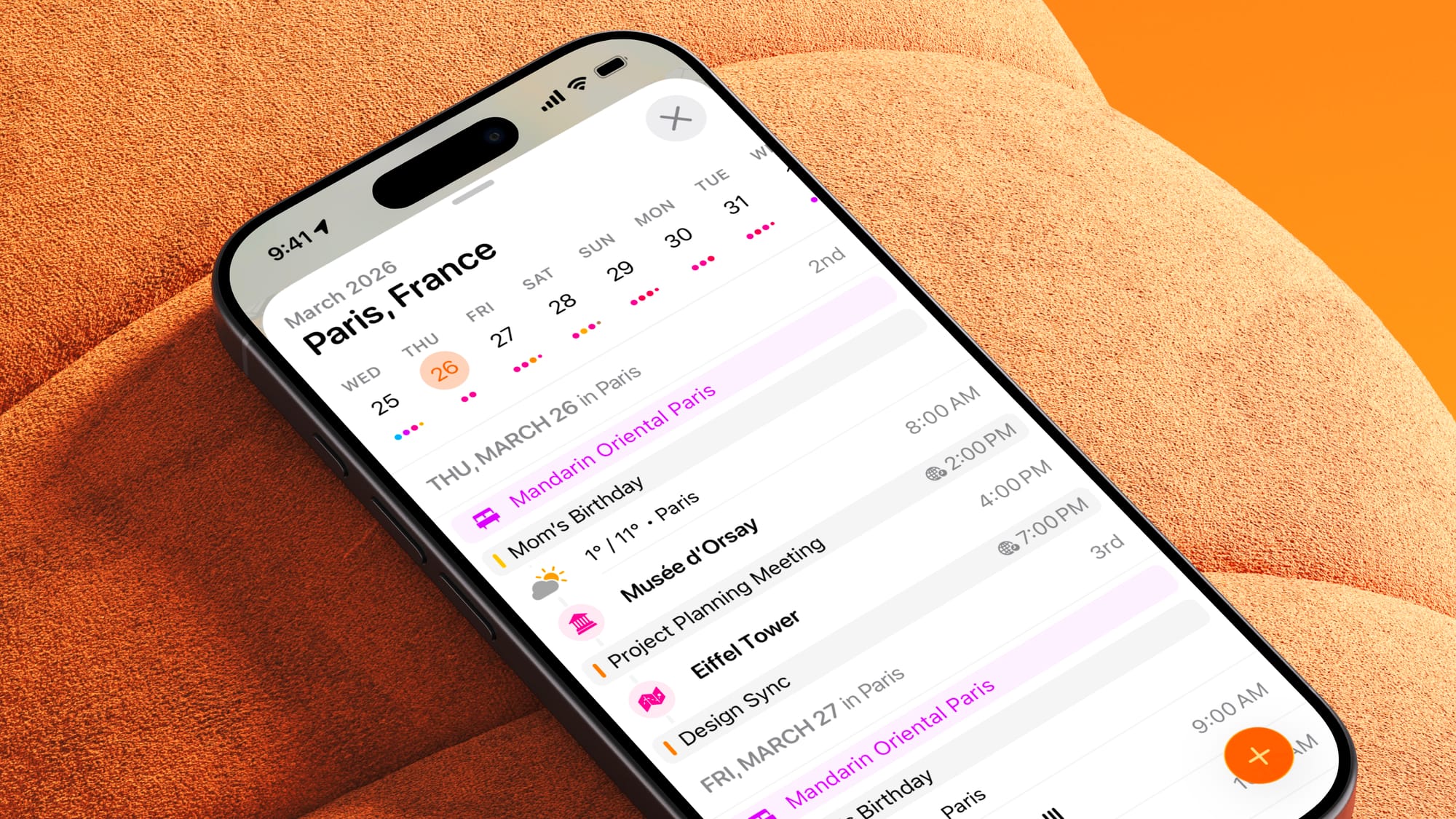
When we travel, it’s very common for our calendar events to be in a different time zone than the one we’re currently in. With Tripsy 3.8, this is handled automatically.
By connecting your calendar to Tripsy, all your events are intelligently adjusted based on your trip’s local context. For example, if you have a series of meetings on your first day, Tripsy uses your hotel as a reference point and shifts those events to match the correct local time.
In your itinerary, you’ll see a clear indication that an event has been adjusted to the local time zone. And if you open the event details, you can easily check the original time zone and understand exactly how it was converted.
Calendar Event Details
Calendar events now have a richer details screen, with clearer date and time display, timezone comparison, notes, addresses, links, markdown support, and quick access to directions.
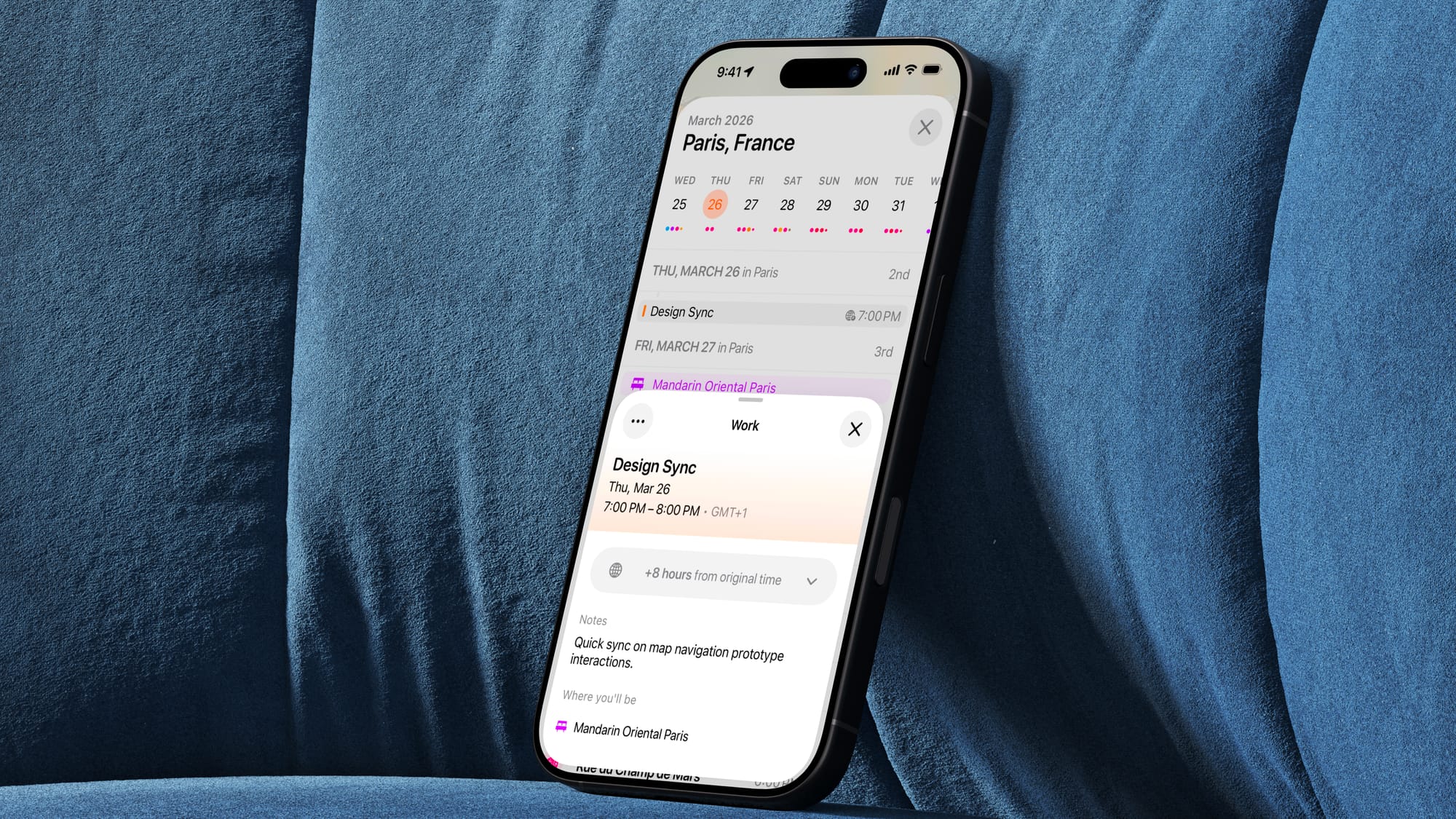
When viewing a calendar event in Tripsy, you can easily turn it into a trip activity. This is especially helpful for business trips, where your itinerary is often built around meetings and scheduled commitments.
You can also edit the details of your calendar events directly within Tripsy using the “More” button. This makes it simple to adjust your plans and keep your travel itinerary aligned with your calendar — all in one place.
Import Flights from Calendar
When Tripsy recognizes that a calendar event is actually a flight, it can show flight information, help you track it, and avoid showing duplicate flight entries when that same flight is already part of your trip.
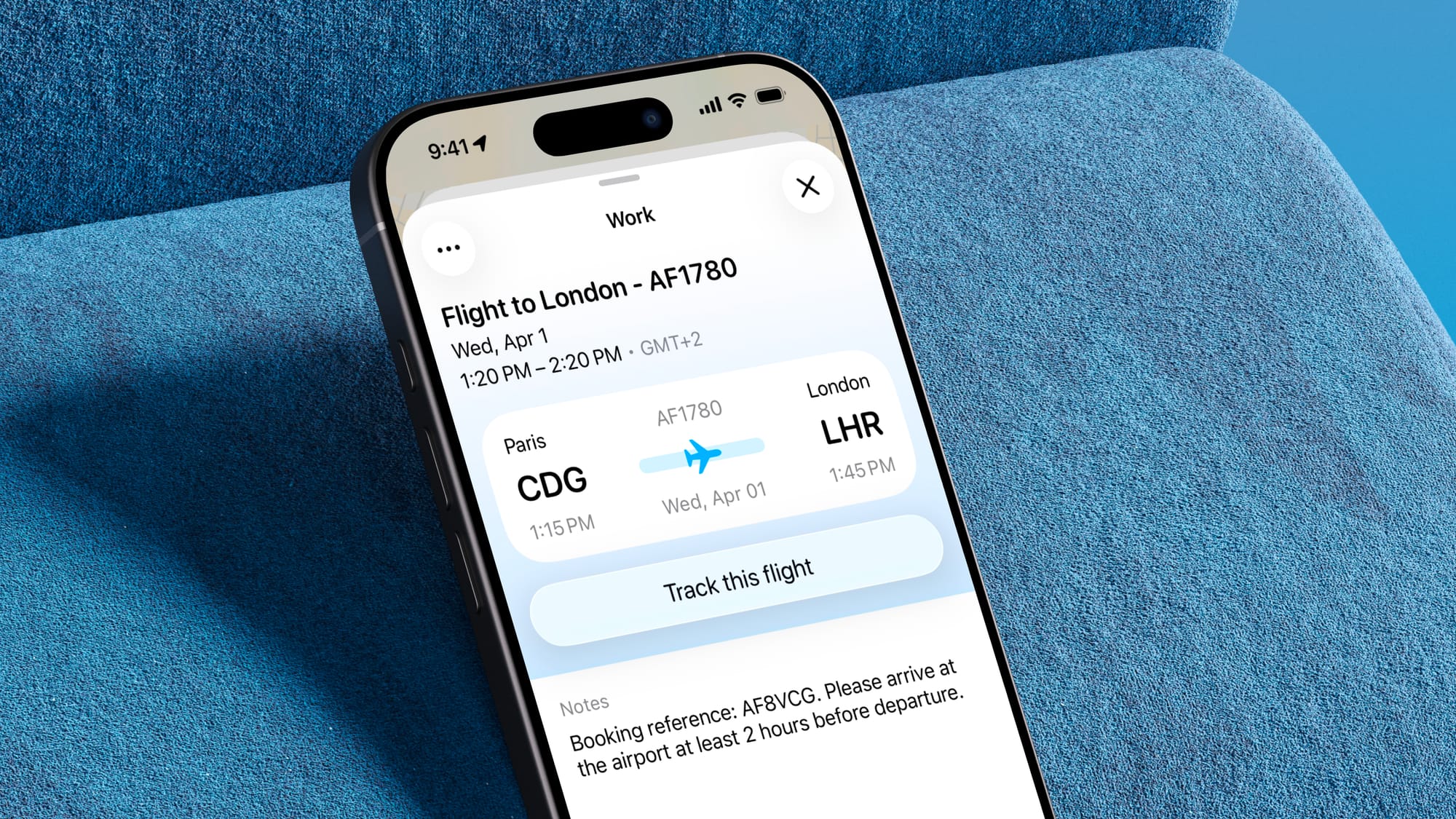
Calendar Event Timezones
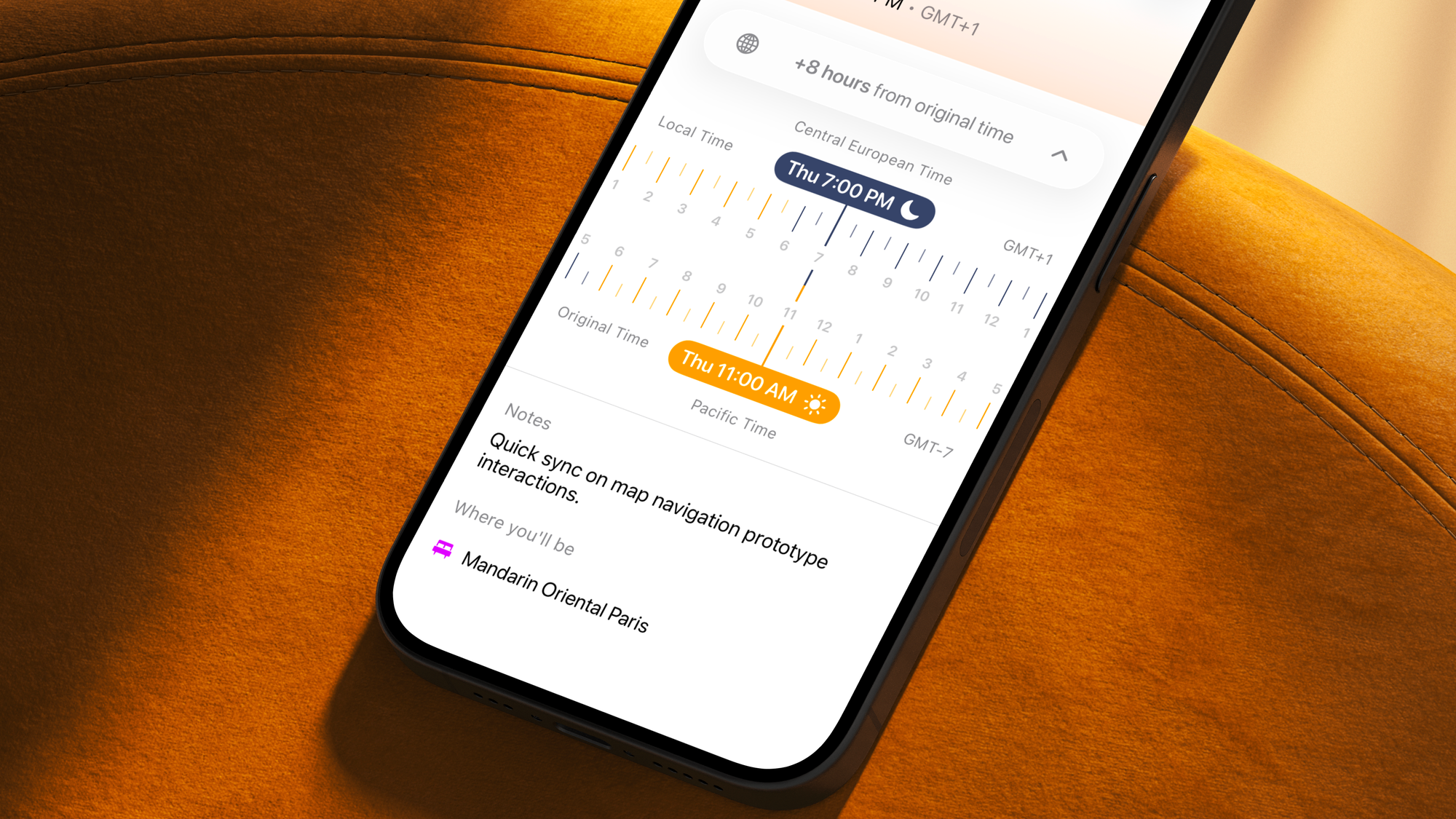
Dealing with different time zones during a trip can quickly become a headache. That’s why we introduced a dedicated component inside each calendar event to help you compare the time difference between your current location and the event’s original time zone.
This component also shows where it’s day and where it’s night, making it much easier to understand and adjust event times at a glance. With everything in one place, you no longer need to rely on external tools to figure out time zone differences.
Trip Duplication
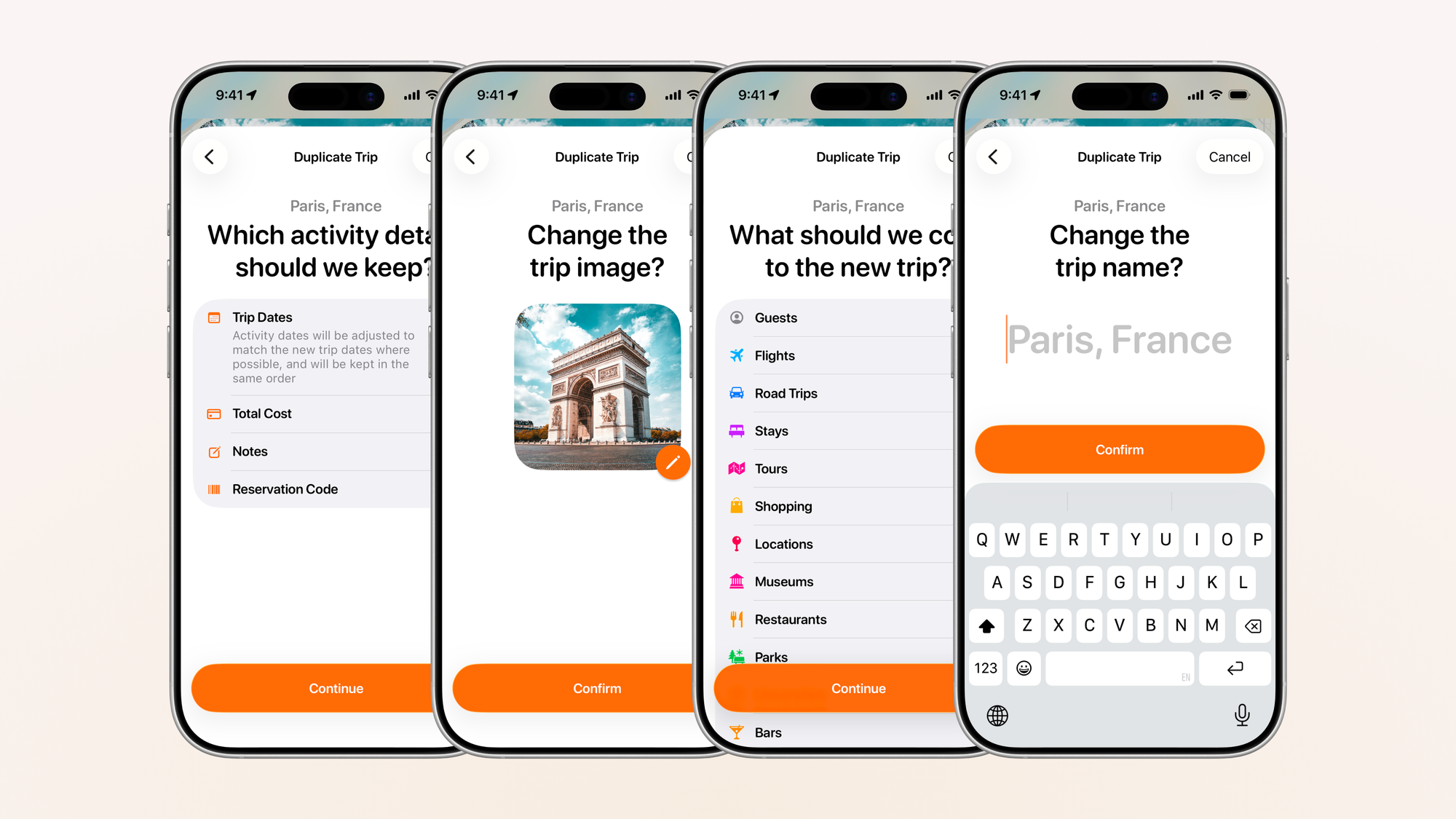
- You can now duplicate a trip with much more control over what gets copied.
- Choose exactly what to bring over, including activity categories, documents, notes, and guests.
- Decide whether to keep activity dates, notes, costs, and reservation codes.
- If you keep dates, Tripsy adjusts them to match the new trip when possible while preserving the original order of your plans.
- You can rename the duplicated trip, update its cover, review what will be copied, and then create the new trip with confidence.
Other Improvements
- Added a more compact itinerary view.
- Added an option to show cities on the trip map instead of only merged country points for Tripsy Recap / visited countries.
- You can now assign guests to multiple activities at once from itinerary and activities list.
- Flight editing is better, with a dedicated airport picker and improved airport details.
- Improvements to our currency editor that would not work well for some specific regions where the currency code comes after the number
- New widget on the lock-screen to view information about the next trip
- Full control of your calendar feed: enable/disable, refresh or reset the URL
- Fixed a number of smaller UI issues, layout inconsistencies, and edge cases across the app.
We hope you love it! ❤️ Huge thanks for all your feedback, it helps make Tripsy even better.