
Tripsy 3.9: Smart Routes, Saved Addresses, Notes Refreshed and much more!

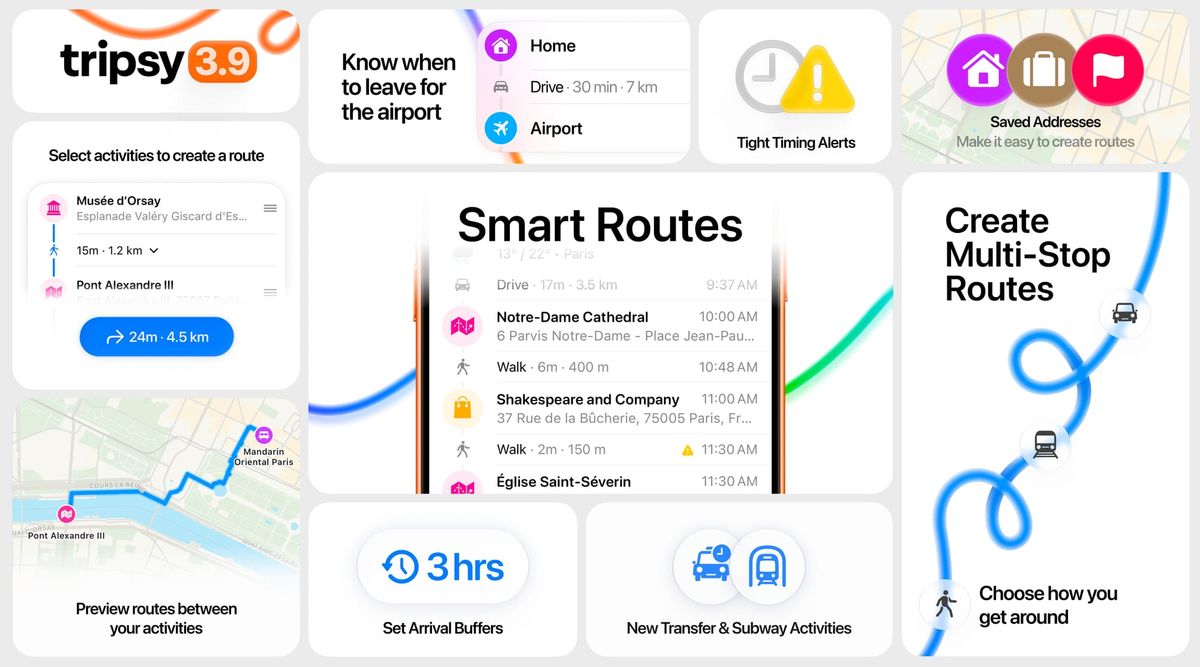
We are super excited to release this update, after months of work and tweaking every little detail, we are ready to ship!
There’s more to an itinerary than where you’re going.
You may have every flight, reservation, museum, meeting, and dinner perfectly organized — but there’s still the part that happens in between.
How long will it take to get there? When should you leave? Is there actually enough time between two activities in your itinerary? And what’s the best way to get from one place to the next?
Tripsy 3.9 is all about that part of your trip.
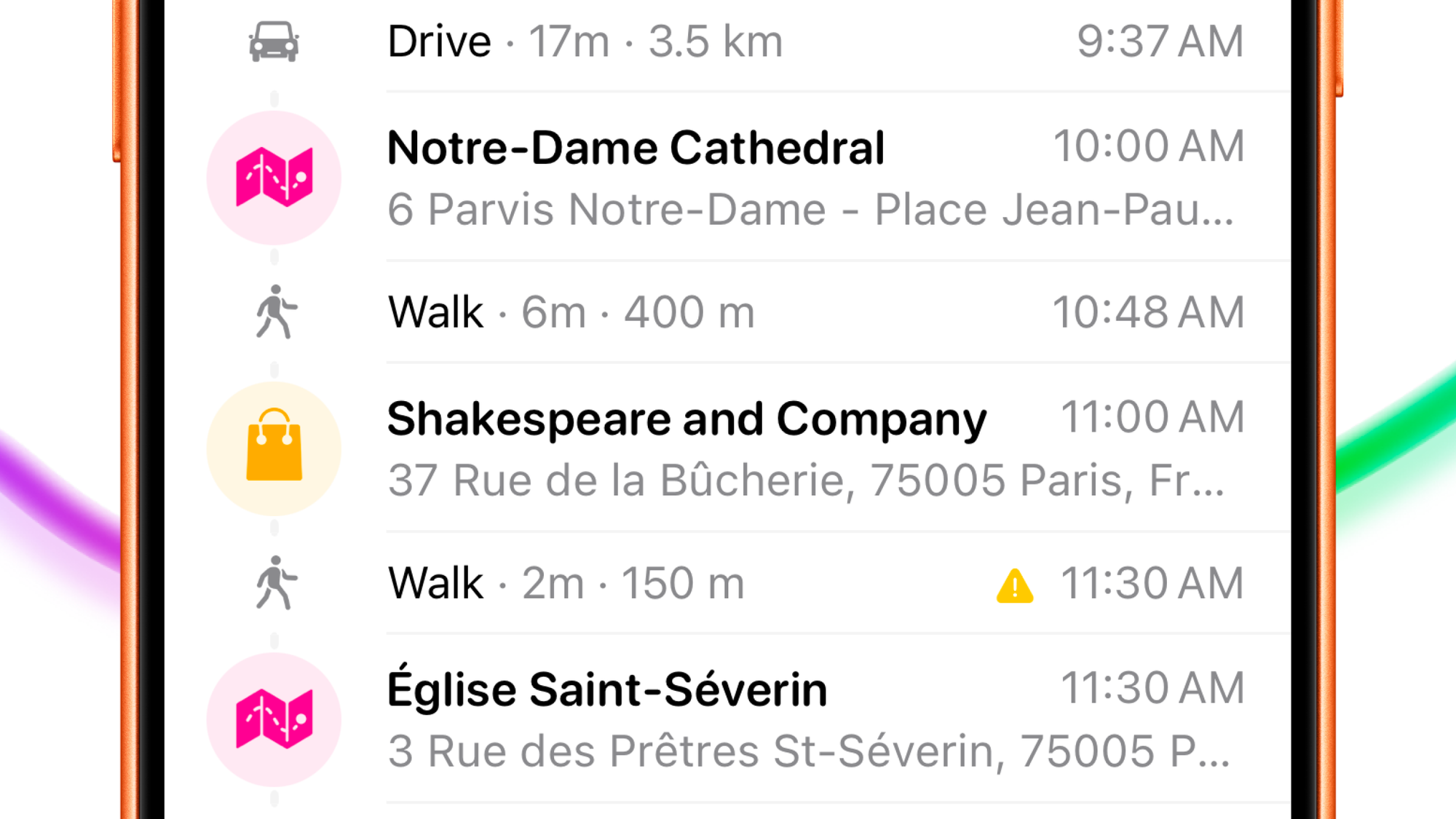
With Smart Routes, Tripsy can now consider your scheduled itinerary together with the travel time between activities, helping you understand how your day actually fits together — and making it easier to get from one plan to the next.
We’ve also added a completely new Multi-Stop Route Builder, Saved Addresses, arrival buffers, timing alerts, new transportation activities, and a redesigned route experience throughout the app.
Your itinerary now understands what happens in between
Imagine you have a dinner reservation booked for 7:30 PM at that restaurant that every travel guide says you simply must try whilst you're in town.
Knowing that dinner starts at 7:30 is easy, and you have the restaurant's address so you know where you're going. The more useful question is: when do you actually need to leave to get to the restaurant on time?
That depends on where you’ll be beforehand, how long it takes to get there, how you’re traveling, and whether you’d rather arrive exactly on time or give yourself another 15 or 30 minutes before your reservation.
That’s what Smart Routes are designed to help with.
Tripsy now looks at the activities in your itinerary and the travel time between them, then suggests routes that can connect your plans for a seamless experience.
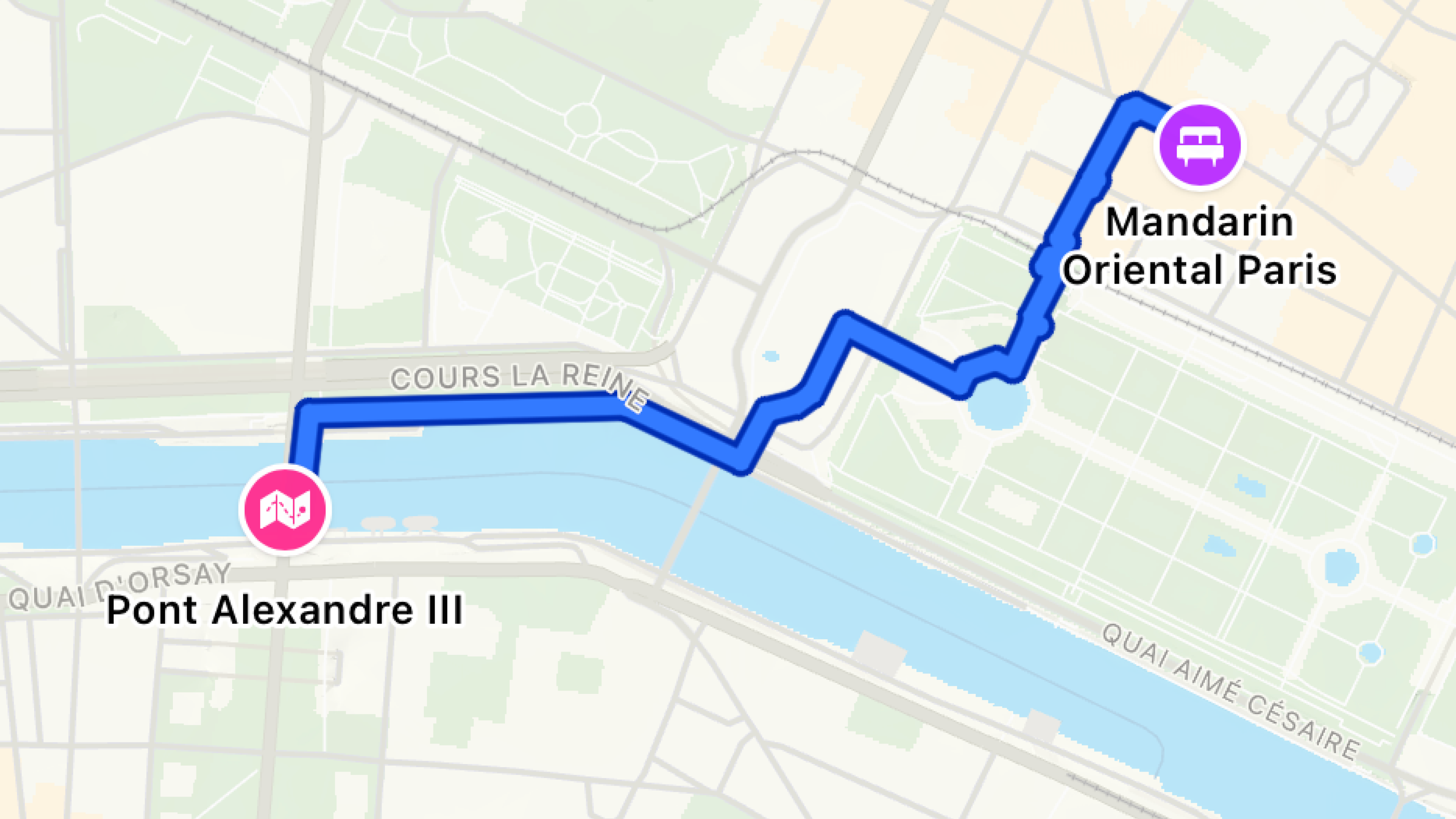
You can preview a suggestion before adding it, see the route on the map, compare the estimated time and distance, and review exactly how you’ll get there.
Instead of treating every activity as an isolated item on a timeline, your itinerary can start reflecting the journey between them too.
Know when to leave, not only when something starts
Some plans need a little more breathing room than others.
A 7:30 PM restaurant reservation might only need a few extra minutes. A business meeting might need 15. And nobody wants to arrive at the airport at the exact moment their flight starts boarding and end up missing their flight.
Tripsy 3.9 lets you define when you want to arrive and add an arrival buffer before an activity.
Tripsy takes that extra time into account when calculating the route, so the journey becomes part of the schedule instead of something you have to work out separately.
This is particularly useful for flights, and we've allowed you to change the buffer separately for international and domestic flights.
You can now tell Tripsy where you’ll be leaving from — your home, hotel, current location, or another address — and Tripsy can calculate the journey to the airport and help you understand when it’s time to go.
When the timing gets tight, Tripsy tells you
Travel plans rarely fit together as neatly in the real world as they do on a list.
Maybe an activity ends at 11:00 AM and the next one starts at 11:30. That looks fine — until getting there takes 40 minutes.
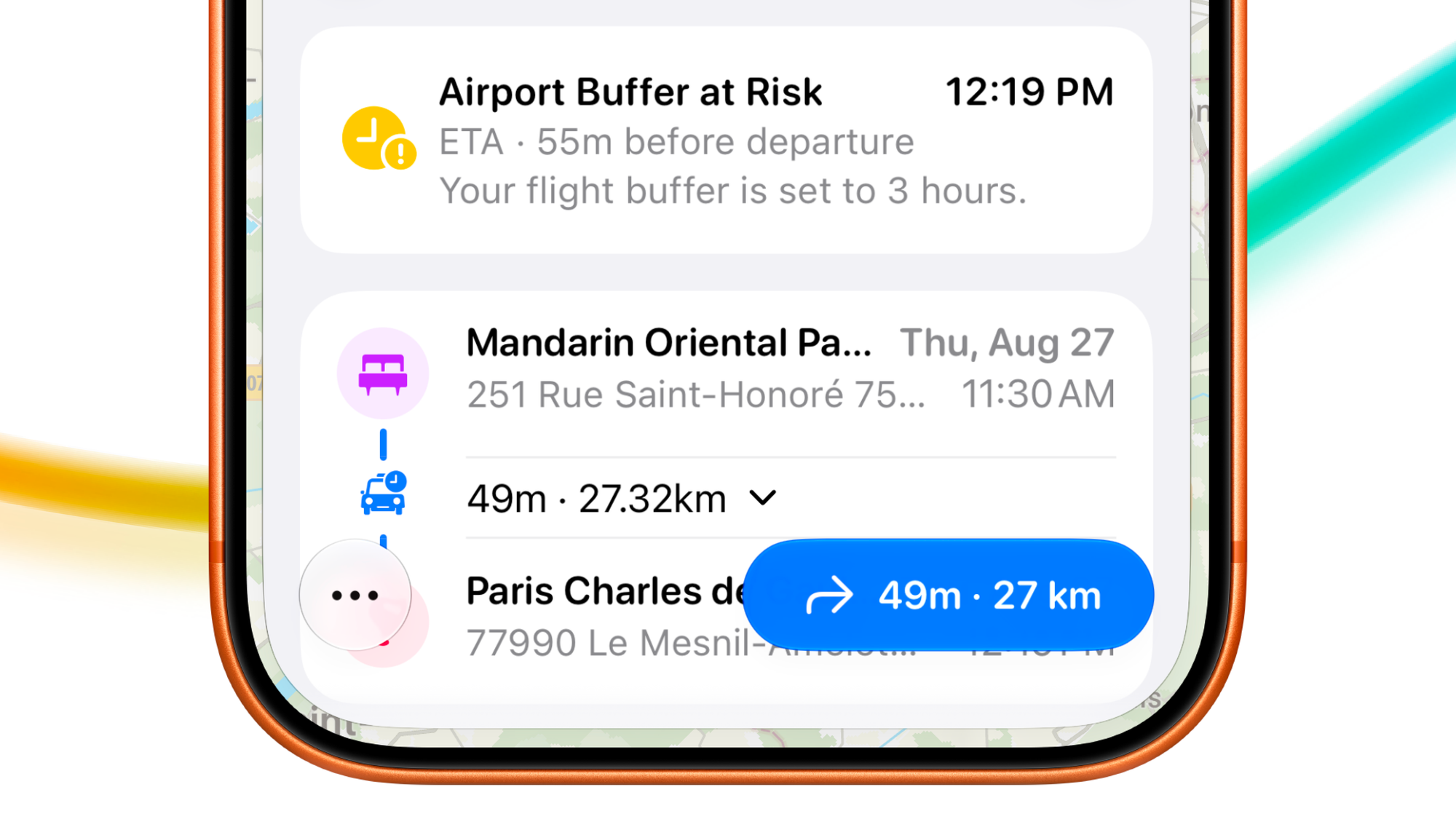
Tripsy can now recognize situations like this.
When the estimated journey between two activities could put your next plan at risk, you’ll see a Tight Timing warning in your itinerary.
It’s intentionally guidance rather than an alarm: you may already plan to leave the previous activity early, or your schedule may have some flexibility.
But instead of discovering the problem when you’re already on your way, you can see it while planning your day and decide what makes sense.
Build an entire journey with Multi-Stop Routes
Sometimes getting from A to B isn’t enough.
Maybe you’re leaving your hotel, stopping at a café, visiting a museum, taking the subway across town, and walking the final few blocks to dinner.
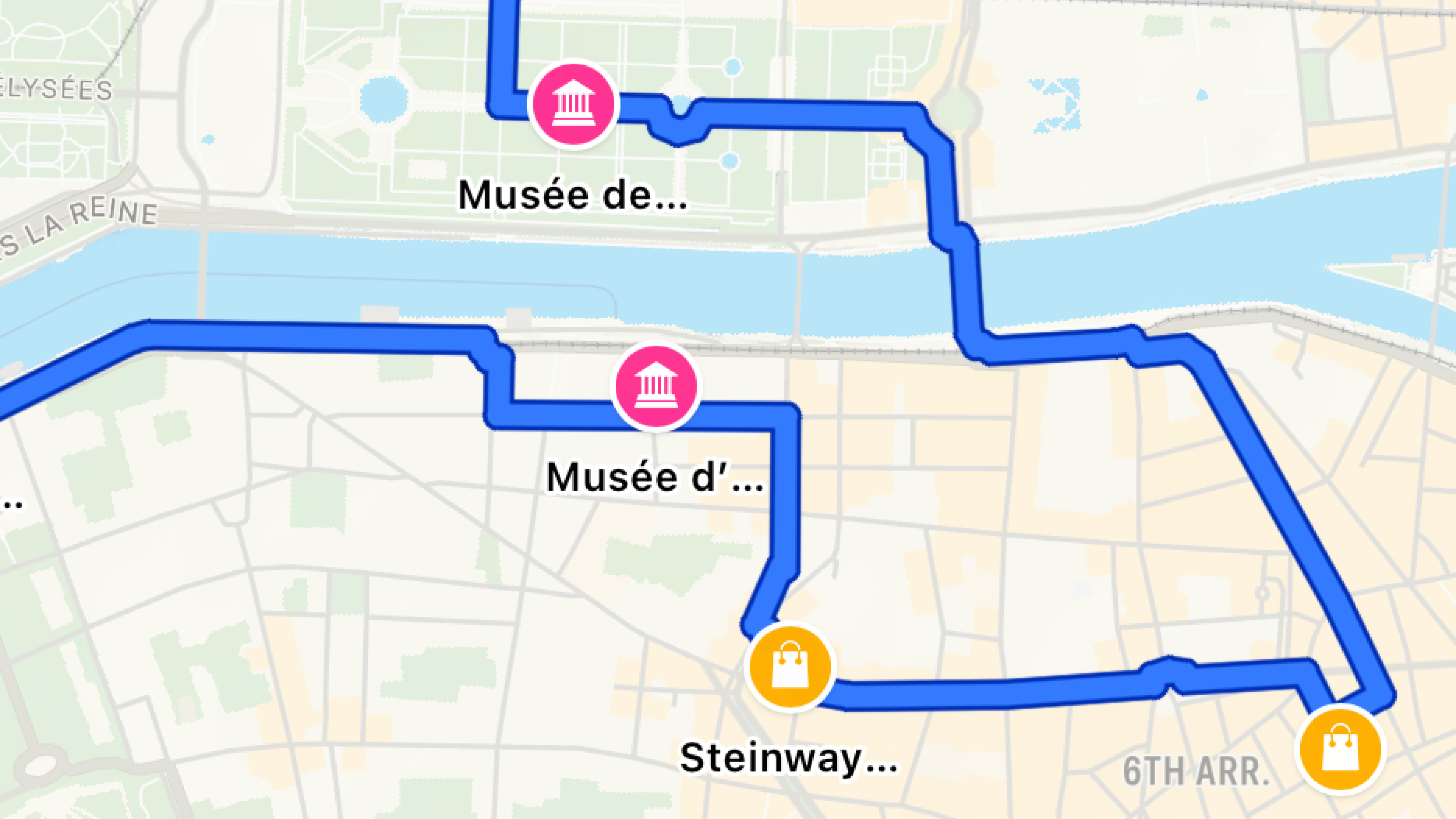
Tripsy 3.9 introduces a completely new Multi-Stop Route Builder for exactly these kinds of days.
Add all the places you want to visit, reorder your stops, choose how you want to travel for each part of the journey, then set your starting time.
Tripsy calculates the travel time between each stop and uses it to determine when you’ll reach the next location.
You can mix transportation types along the way — drive for one segment, take a train for another, then walk the rest — and preview the complete journey on the map before saving it to your trip.
And if those places are already activities in your itinerary, simply select them and create a route from your existing plans.
Home is now always easy to find
A surprising amount of travel planning starts from the same handful of places.
Your home. Your office. A hotel. Maybe the apartment you’re staying at for the next two weeks.
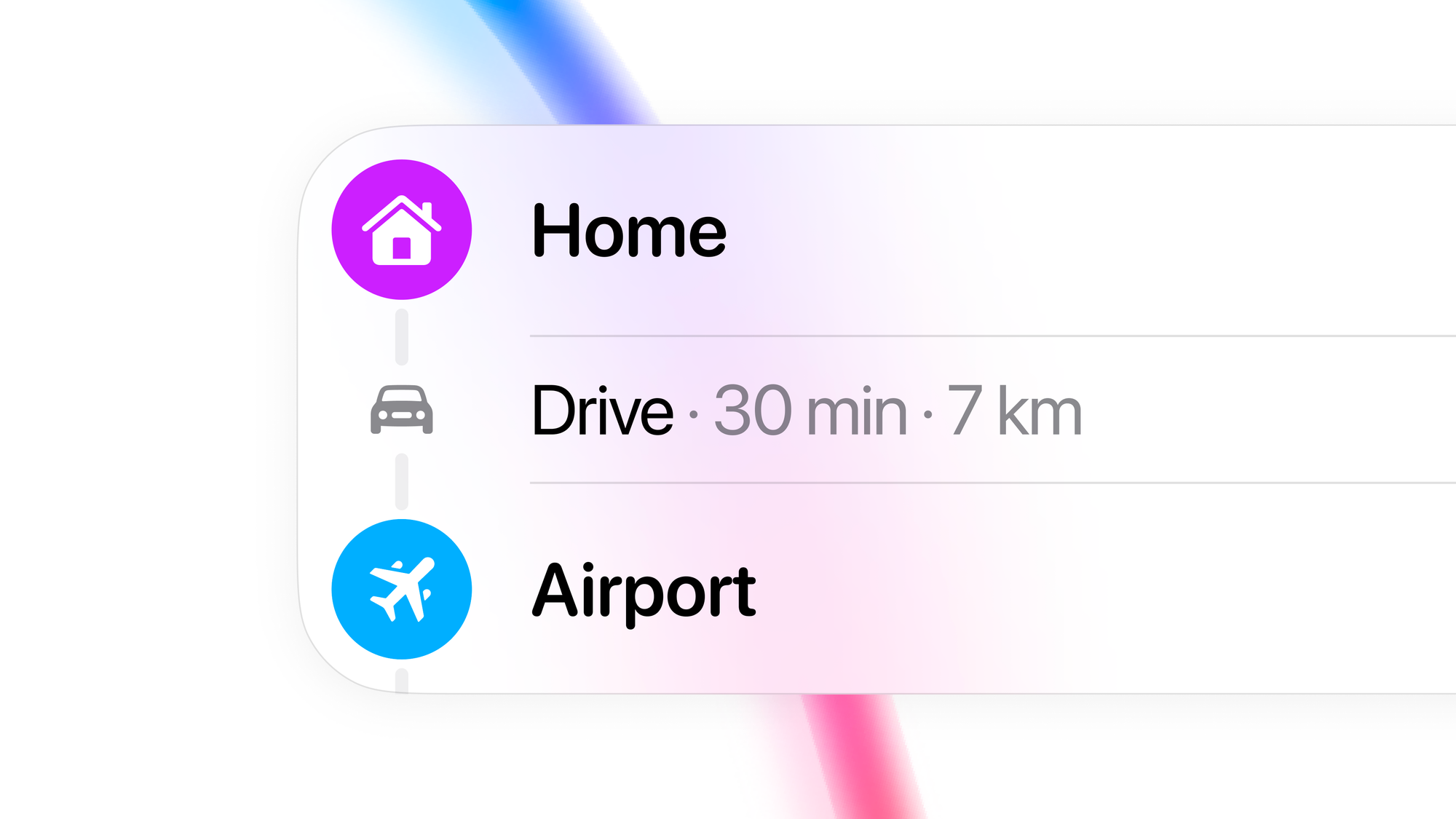
With Saved Addresses, you can keep those places in Tripsy and use them whenever you need them.
Give an address a name and icon, then quickly find it when searching for activities, building routes, or choosing where you’ll leave from for the airport.
You can also use your current location or turn the location of an existing activity into a saved address.
It’s a small addition that removes a lot of repetitive searching — especially when you’re building routes throughout a trip.
A better way to see how you’re getting there
Routes themselves received a major redesign in Tripsy 3.9.
Transportation details now make the important information easier to understand at a glance: where you’re leaving from, where you’re going, how long it should take, how far you’ll travel, and what the route looks like on the map.
We’ve also added new Transfer and Subway activity types, making it easier to represent the parts of a trip that don’t quite fit into a generic transportation activity.
Routes shared from Tripsy now contain more of the journey as well, including stops and transportation details.
Notes that are easier to read — and easier to use
We redesigned Notes to feel faster, cleaner, and much more natural to use.
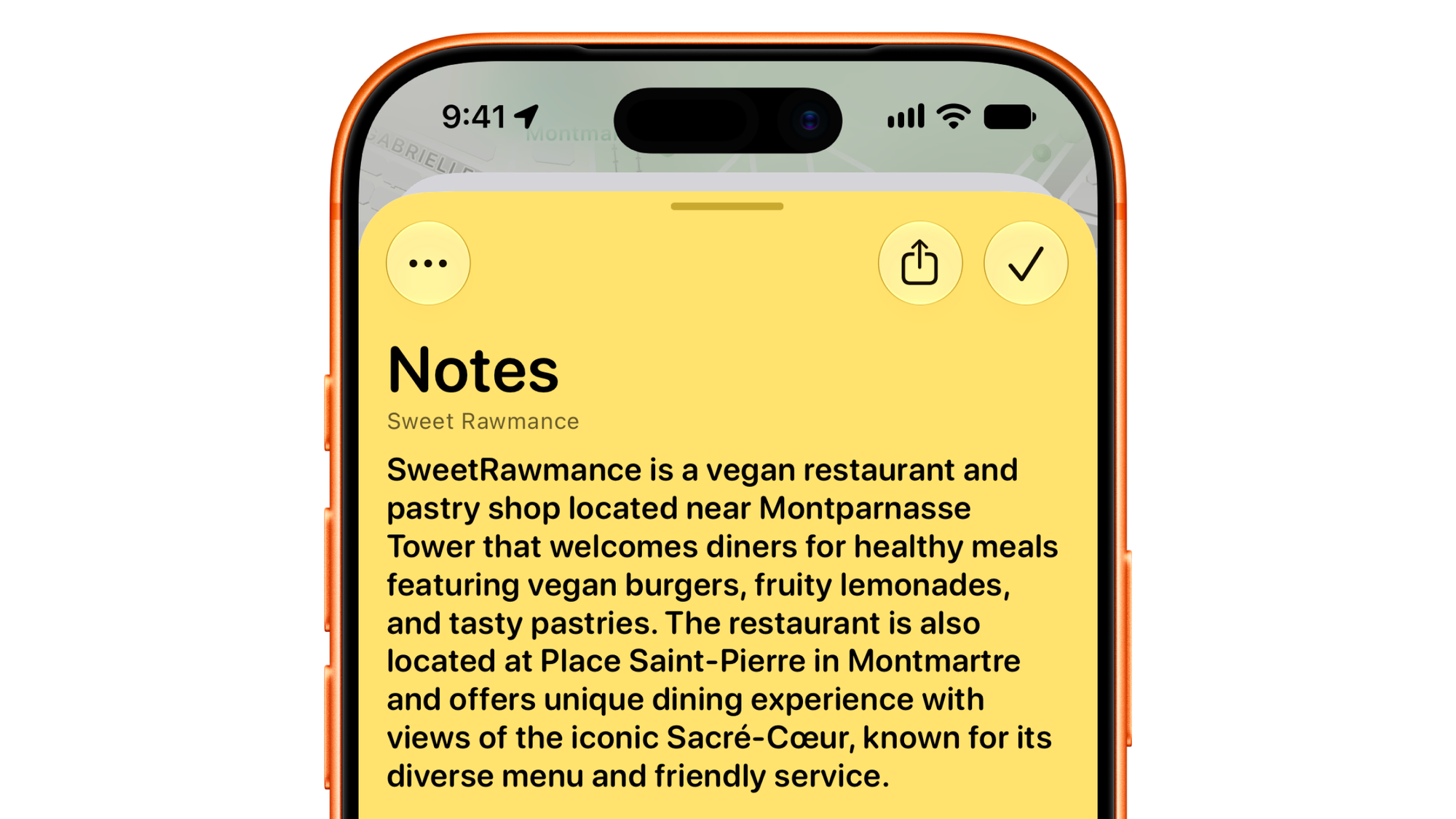
The new editor is more fluid, with larger typography and a more comfortable reading and writing experience. And with Find in Notes, you can quickly jump to the detail you need in longer notes.
And a lot more
We redesigned the activity notes editor for a cleaner and more reliable writing experience, made guest assignments clearer across your itinerary, improved activity and nearby-place search, and added the ability to choose trip cover images directly from Files.
You can now edit trip dates from the itinerary’s More menu, and we’ve added an Auto Repair activity category alongside the new transportation options.
We’ve also improved weather placement in the itinerary, travel statistics, maps, localization, accessibility, Dark Mode email display, and the Mac layout.
Under the hood, itinerary updates, route estimates, location search, syncing, expenses, weather, and image handling are now faster and more reliable, alongside many smaller fixes and refinements across the app.
The journey is part of the plan
Tripsy has always been about bringing the important parts of a trip together — your flights, stays, activities, reservations, documents, expenses, and more.
With Tripsy 3.9, we’re connecting those plans in a new way.
Because knowing that you have dinner at 7:30 PM is useful.
Knowing how you’re getting there — and when you should leave — is even better.
We hope Tripsy 3.9 makes your next trip a little easier to plan, and a lot easier to follow.